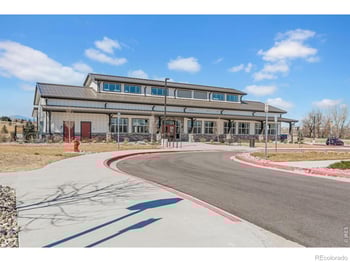

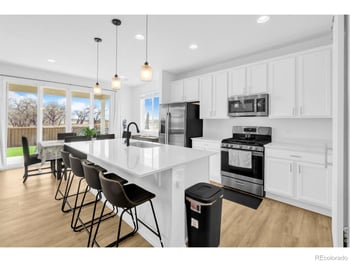
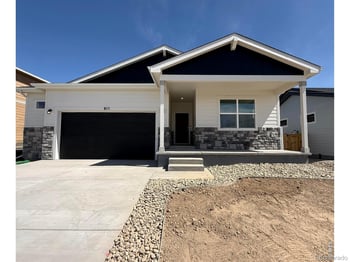
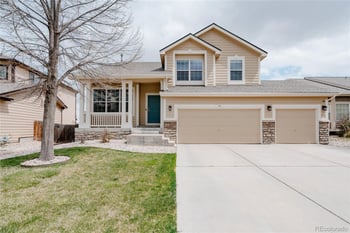
$515,000
Active
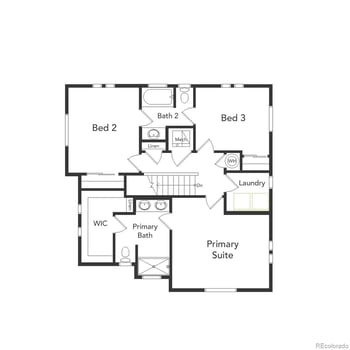
3
Beds
3
Baths
1868
Sqft
0.14
Acres
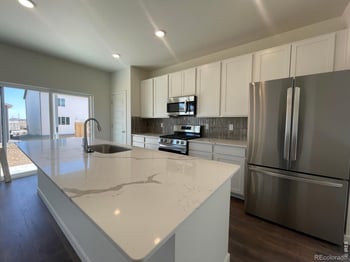
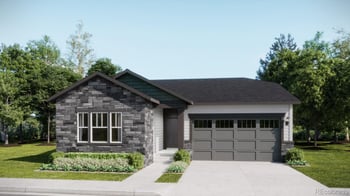
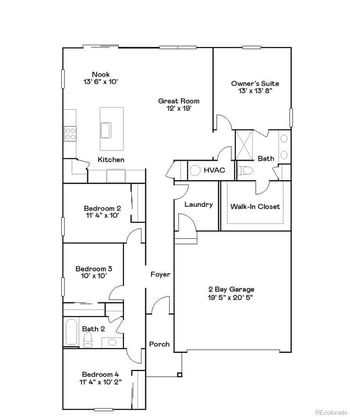
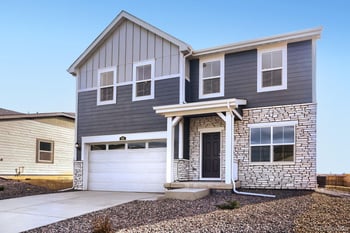
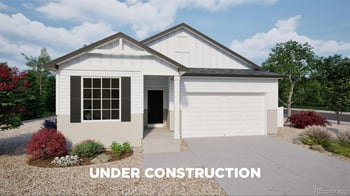
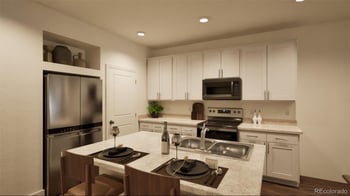
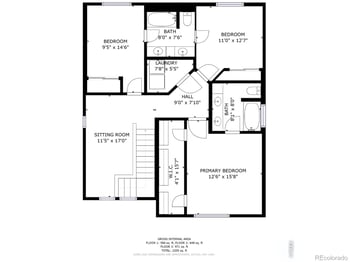
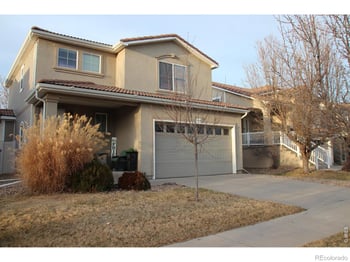
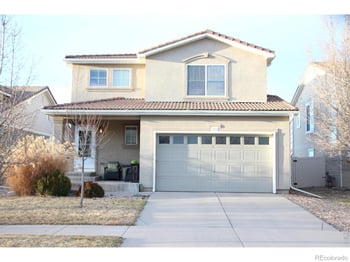
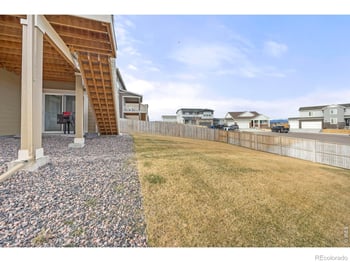
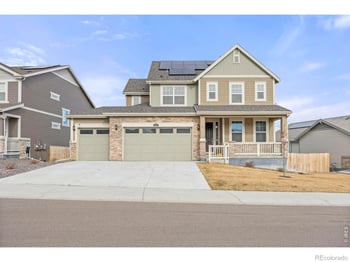
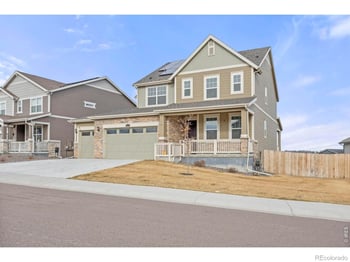
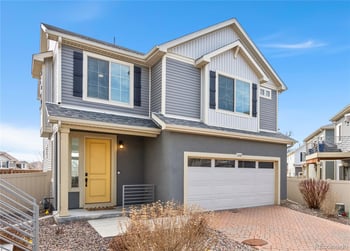
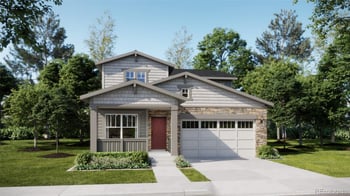
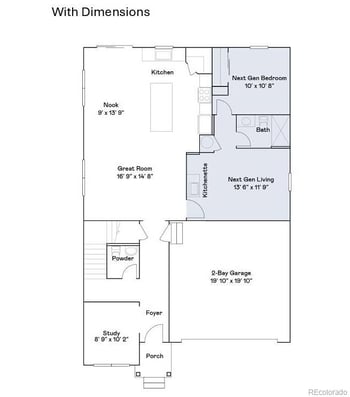
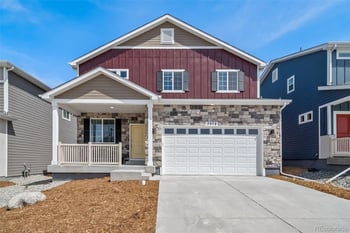
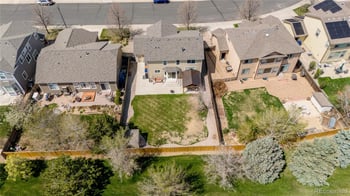
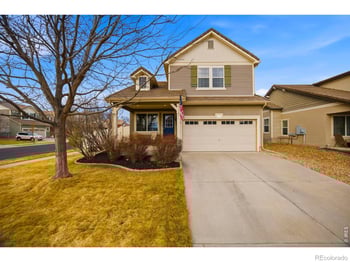
3755 Candlewood Dr, Johnstown, CO 80534
MLS#: RECIR1054050
Johnstown homes for sale put you in a Northern Colorado sweet spot between Loveland and Greeley, where you can keep a small-town center on Parish Avenue while still having quick access to I-25 via Highway 60 and Highway 34 when appointments, family visits, or airport runs pop up. Day-to-day life is simple: a walk at Parish Park, an easy lap around Lake Park, and the kind of “we can do dinner without a big plan” option you get with places like the Candlelight Dinner Playhouse right in town. For 55+ homebuyers who are right-sizing, Johnstown is often appealing because newer neighborhoods make it easier to find main-floor comfort and lower-hassle upkeep without feeling boxed into a busy city pace, and medical care in nearby Loveland is within straightforward driving distance. The trade-off is that Johnstown is still growing—some pockets will feel more “settled” than others, and HOA or metro-district costs can vary by neighborhood, so it’s worth confirming the details before you fall in love with a layout. Scroll below to view current Johnstown listings.
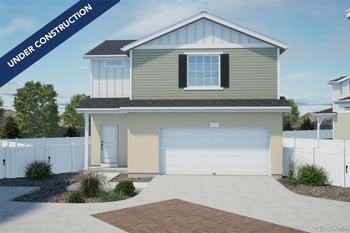
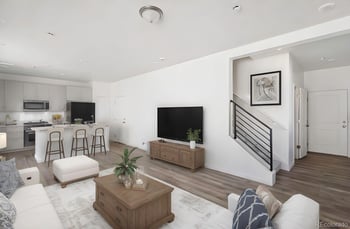
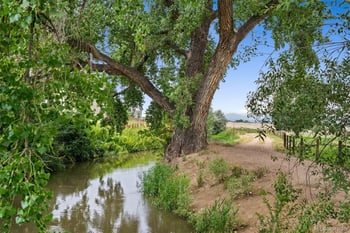
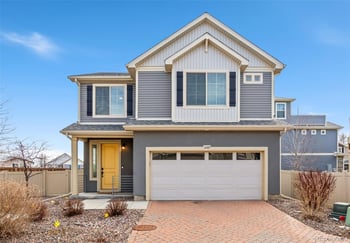
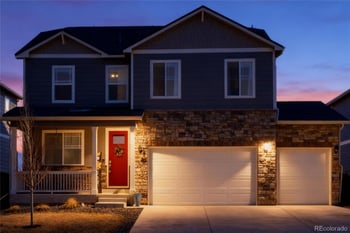
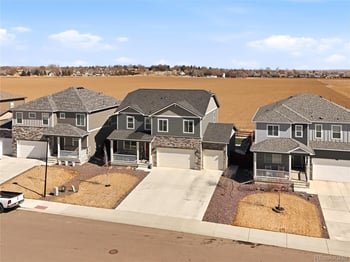
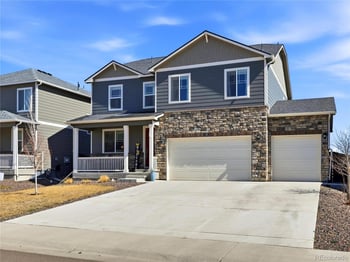
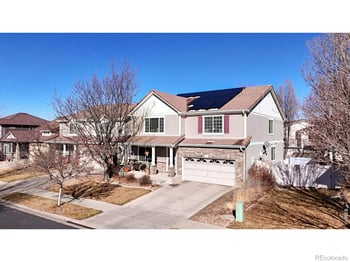
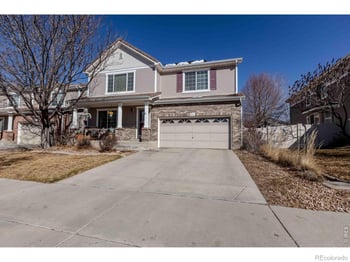
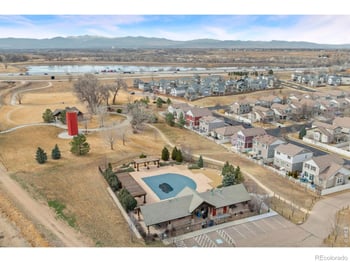
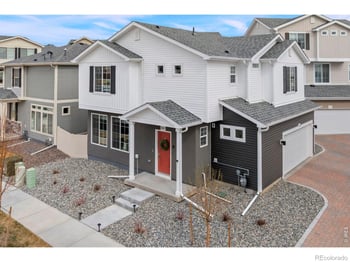
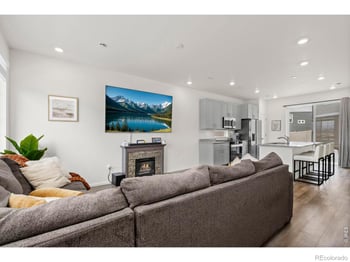
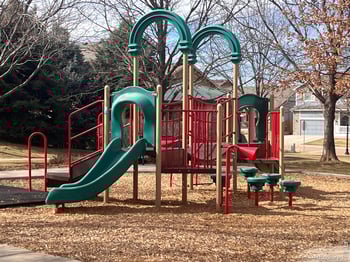
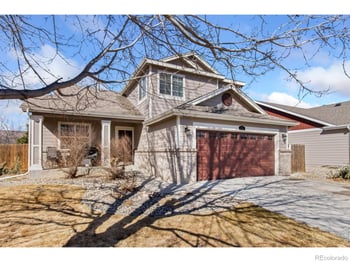
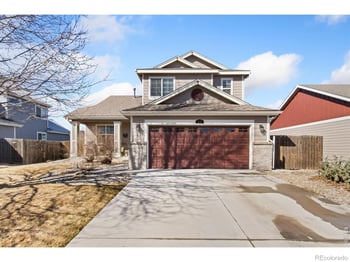




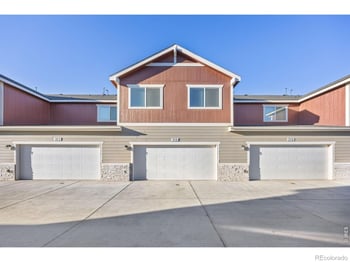
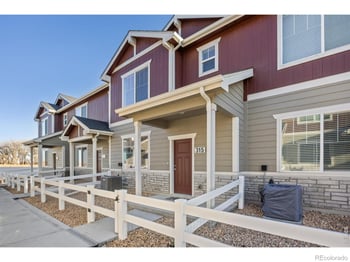
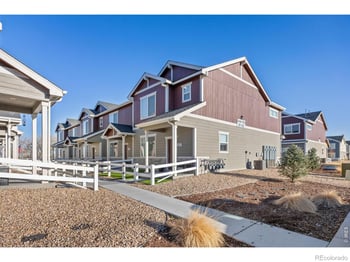
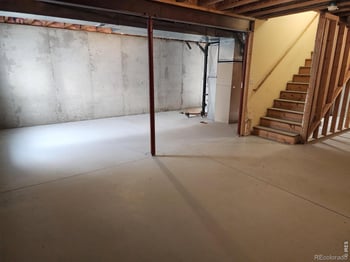
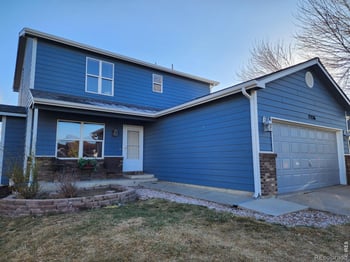
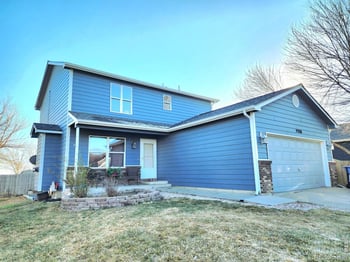
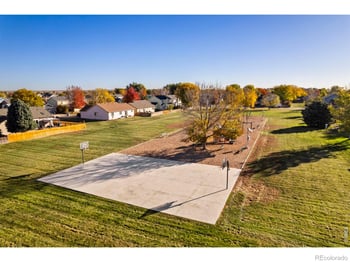
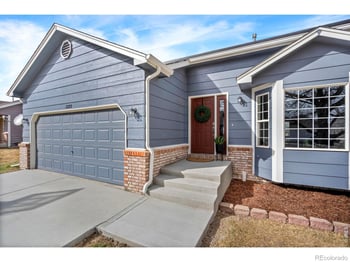
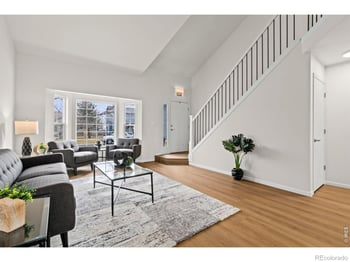
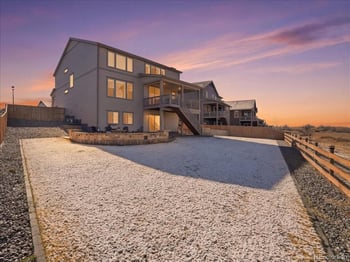
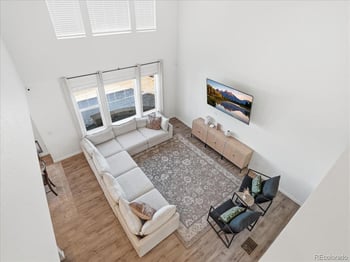
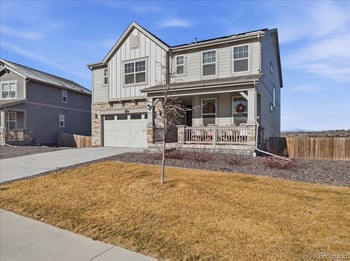


This is the skim-fast field guide to Johnstown real estate. It’s here to cut down “we didn’t realize that…” moments—then you can scroll into the deeper guide below when you’re ready to shortlist the right pocket.
The town crosses county lines, which means taxes and some records are parcel-specific. Early in your shortlist, confirm which county the address sits in so you’re not guessing about fees or district labels.
Johnstown looks “close” on a map, but your errands and appointments feel different depending on which interchange you live near. Treat US-34 and CO-402 as two different launch points, not interchangeable pins.
A lot of “easy living” here comes down to how quickly you can bundle the weekly stuff near Centerra—then be back home without it turning into a half-day production.
If healthcare access is part of your comfort math, this facility matters. The best move is simple: drive the route from the neighborhoods you’re considering at the times you’d actually go.
For a lot of homebuyers, a reliable walking spot beats an amenity list. If a park routine is part of your plan, Lake Park is worth seeing in person—daylight and early evening.
It’s one of those places you’ll recognize quickly—parks, events, and “meet you there” energy. It’s also an easy way to judge how close a neighborhood feels to the center of town.
In Johnstown homes for sale, “easy upkeep” can mean different things depending on the community. Before you assume it’s handled, confirm what’s actually included.
If your shortlist is built around I-25, treat construction phases like weather: it changes. The buyer-safe move is to check CDOT’s current impacts before you lock in showings.
Johnstown addresses can route differently depending on the pocket. Verify assignment by address using the district locator tools for the active school year.
This is one of those “same town, different experience” details. Confirm the provider for the exact address—especially if predictable monthly costs are part of your comfort math.
If telehealth, remote work, or streaming matters, treat internet like schools: it’s address-specific. Use the Town’s provider list as a starting point, then confirm on the FCC Map.
Keep it calm and repeatable. Flood zones and energy activity are address-based checks, and radon is a property-specific test decision. If you’re near Johnstown Reservoir, it’s an easy reminder to run these tools early.
You like being able to get to Centerra quickly, but you also want evenings that feel calm—especially in a main-level home that’s easy in winter.
Johnstown is still largely car-first. Some pockets feel more connected than others, but if “no car days” are the goal, this is worth being honest about early.
The best match is a home that’s simple to move through, simple to maintain, and clear on the ownership details—county, district, utilities, and any HOA layers—before you get emotionally attached.
A practical thing to know when you’re comparing Johnstown homes for sale: a lot of everyday life gets routed through the US-34 & I-25 area around Centerra. It’s technically a Loveland-area hub, but it works like a “bundle-the-week” zone for many Johnstown households—especially if your list includes a couple errands, a pharmacy stop, and an appointment you don’t want to scatter across town.
If you’re right-sizing and trying to keep life predictable, you’ll notice it fast: some Johnstown pockets make it feel natural to pop up to Centerra and be home again; other pockets turn it into “another highway trip.” This isn’t a lifestyle pitch—it’s just what ends up shaping the week once you’ve lived there.
To keep this buyer-useful (and not a generic “shopping list”), use the names below as your wayfinding points. Tenants change over time, but the nodes stay consistent.
Fit logic: if those two nodes naturally match how you run your week, Johnstown’s “errands gravity” tends to feel like a convenience. If you hate highway errands on principle, you’ll want to be more selective about which Johnstown pocket you choose.
Here’s the cleanest way to decide whether Centerra convenience is real for you: pick two homes you’d actually tour—ideally one that feels closer to US-34 access and one that feels closer to CO-402 access—then drive the same route from each.
Try it like this: do one weekday run (the time you’d normally go) and one weekend run.
What you’re measuring: whether the run stays easy after work and on weekends, and whether you’re comfortable with how much your week depends on the US-34 & I-25 node.
Centerra’s mix evolves over time. Before you decide that “this run will cover everything,” sanity-check what’s actually there right now using the official Centerra overview and the Promenade’s current plan-your-visit page. (Centerra: what’s here) (Promenade home)
If you’re right-sizing and thinking “can we stay here comfortably long-term,” healthcare access stops being abstract. In Johnstown real estate, one of the practical comfort-points is how straightforward it feels to reach UCHealth Medical Center of the Rockies at 2500 Rocky Mountain Ave in Loveland’s Centerra area—because it sits right off the I-25 / US-34 node. (UCHealth location)
Medical Center of the Rockies is a regional destination hospital in Northern Colorado, so it naturally has “medical gravity” beyond Loveland. For you, the key question is simpler: does your Johnstown address give you a route you’d feel calm taking on a normal weekday and on a dark winter evening?
Most routes funnel through I-25 and US-34, then turn onto Rocky Mountain Avenue to reach the campus. UCHealth even publishes a directions PDF that describes the common approach and the roundabout sequence near the main entrance. (UCHealth directions PDF)
Homebuying takeaway: if you’re deciding between two Johnstown neighborhoods, don’t treat “minutes to the hospital” as a number—treat it as a route you can feel in your body. Some approaches feel smooth; others feel like constant merging and lane changes.
Pick two homes you’d actually tour. From each address, run the same trip to Medical Center of the Rockies once in daylight and once after dark (or during your typical evening window). You’re checking for the stuff that changes stress level: merges, glare, signage clarity, and whether the turn sequence feels obvious.
Day-of reality check (January 9, 2026): if I-25 or US-34 is under active construction or has an incident, conditions can change fast. Before the second drive, check current closures and planned construction on COtrip. (COtrip map)
Depending on where you are in Johnstown, a common alternate is using local connectors to reach US-287 and then back toward the US-34 / Centerra area—sometimes that feels calmer than fighting a bad merge. The right answer is address-specific, so confirm with a mapping app and COtrip on the same day/time window you’d realistically travel.
Real estate fit lens: if “aging-in-place confidence” is part of why you’re buying, route simplicity to higher-acuity care is a legitimate checkbox. It’s not the whole story—but it’s one that’s easy to verify before you get attached to a house.
For a lot of Johnstown, CO real estate decisions, the “outdoors” question isn’t about weekend adventures. It’s about whether you have a place you’ll genuinely use on a Tuesday—an easy walk, a bench-and-sky break, or a low-effort spot when family visits. In Johnstown, two of the most practical everyday options are Lake Park (Johnstown Reservoir) and Parish Park.
Lake Park is the Town’s reservoir-side park at 149 Alabaster Way. The Town describes access as taking Hwy 60 to High Plains Boulevard, then turning onto Rocksbury Lane, with street parking in the surrounding subdivisions. It’s built around the kind of amenities that make it easy to actually use: a walking path, picnic shelters with electricity, a playground, and restrooms. (Lake Park details)
Reservoir-adjacent reality: Lake Park allows fishing, but the Town notes that a permit is required and that swimming/boating are not allowed. If “near the reservoir” is part of why you’re shortlisting a home, read the posted rules first so your expectations match what’s actually permitted. (rules + permits)
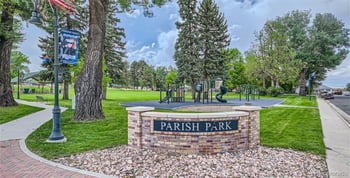
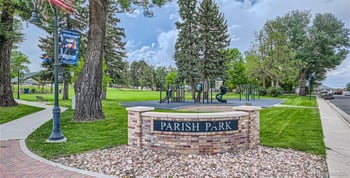
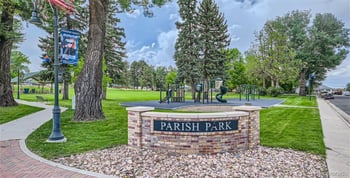
Parish Park sits at the corner of Charlotte Street and Raymond Avenue (listed address: 11 Raymond Pl). The Town calls out the practical stuff homebuyers tend to care about: picnic shelters with electricity, a playground, portable restrooms, and a volleyball court. (Parish Park details)
Homebuyer lens: if you’re deciding between two Johnstown neighborhoods, being “close to Parish Park” can be the difference between a park you actually use and one you only visit when you remember it exists.
The Town’s Parks page states that Johnstown currently has 7 public parks and lists typical open hours as 5 AM to 10 PM. This is the clean way to confirm the full roster and any changes over time (instead of relying on old blog posts or third-party lists). (Town parks page)
If you want the “full list” in one place, the Town’s Parks & Facilities navigation also links each park by name (including Lake Park and Parish Park). (parks & facilities)
When homebuyers say they want “parks nearby,” they usually mean one specific habit: a consistent walking route, an easy place to take visiting grandkids, or a nearby spot to clear your head after dinner. So instead of treating parks as a vague perk, choose the park you’d actually use—Lake Park by the reservoir or Parish Park for a quick neighborhood reset—and then measure your shortlist by how simple that trip feels from each address.
If you’re planning gatherings, the Town also publishes park reservation details and general rules—use those official pages to confirm what’s allowed before you buy a “we’ll host everyone here” story. (reservations)
Johnstown real estate can sit in either Weld County or Larimer County, and that one detail can quietly change your ownership costs and paperwork trail. If you’re touring homes near the I-25 / US-34 area, treat “what county is this parcel actually in?” as an early, repeatable check — not something you discover after you’ve already fallen in love with the kitchen.
Don’t rely on a neighborhood label or what “feels like” Johnstown. Use an assessor search by address (or parcel number) and note the county shown on the record.
Property taxes can include multiple taxing authorities and occasional special assessment-style items. The point isn’t to panic — it’s to avoid “surprise math” later.
In fast-building parts of Northern Colorado, some neighborhoods are supported by district-style financing or service areas. This isn’t automatically “bad” — but it is something you should price into your comfort level.
The cleanest way to confirm what’s enforceable is to follow the recorded documents — covenants, plats, amendments — tied to the subdivision or legal description.
These are the sources you can return to for every Johnstown short-list, even when listings are vague or the year changes.
If you want one simple habit: whenever you tour a home, pull the assessor record and the latest tax record that same day. It keeps your “this feels right” decision grounded in the numbers you’ll actually live with.
In Johnstown, the “Johnstown” label on a listing doesn’t automatically mean one district or one set of schools. That matters even for homebuyers who aren’t enrolling kids—because school assignment can influence resale, routines, and how a neighborhood feels to future buyers. The clean approach is simple: treat it as an address-level fact you confirm early, especially in the WCR 34 / CO-402 pockets where lines can shift depending on the exact street.
Thompson School District serves part of Johnstown, so don’t assume district assignment from the city name alone. Run the exact street address in the locator and save the result with your notes.
Thompson School District School Locator (use for the most precise match)
If you want the “big picture” map view first, start here: TSD Attendance Boundaries
Weld RE-5J assignments can also be confirmed by address. Because boundaries and grade configurations can change by school year, treat the result as “current-year guidance” unless the district states otherwise.
Weld RE-5J District Site (look for “School Boundaries”)
RE-5J School Boundaries Locator (25/26) (year-labeled tool)
Practically, the “double-check” moments show up when you’re comparing homes that feel close on a map but sit on different sides of town. If you’re touring near the US-34/I-25 side of Johnstown versus the CO-402/I-25 side, don’t let proximity fool you—confirm the address each time.
Use this quick buyer-safe check list (it’s not complicated, but it prevents the most common surprises):
If you want an official “yes, TSD serves part of Johnstown” reference while you’re doing your homework, Thompson’s “Communities We Serve” page is the cleanest place to start: Thompson School District — Communities We Serve . The Town of Johnstown also summarizes this on its schools page: Town of Johnstown — Schools .
In Johnstown real estate, utilities are one of those “quiet surprises” that can show up after closing if you assume every neighborhood is on the same provider. The Town’s own guidance is clear: electric service varies by area, and it’s not something the Town manages directly—so the safest move is to confirm provider by address before you get attached to a house.
The Town lists different electric providers by service area—examples include:
Use this as a map-based clue—not a guarantee for a specific listing—then confirm at the address level.
The Town specifically notes electric utilities are handled by outside providers. If you’re unsure, the fastest real-world tell is the provider name on the electric bill (or sometimes on equipment/labels near the service location).
If a Johnstown home appears to be in an Xcel pocket, use Xcel’s move/start workflow to confirm service for that address.
Xcel Energy: Start / Stop / Transfer Service (CO)
Buyer note: this is especially useful when you’re comparing two homes that feel “close” on the map but sit in different service areas.
If a home is in a United Power area, their service request flow runs through their account tools. It’s a clean way to confirm what the provider expects for start/transfer timing at a specific address.
United Power: Start / Transfer / Stop Service
If you’re just trying to confirm whether the home is even in their footprint, start with the service area overview: United Power Service Area .
This is one of the more “predictable” parts of recurring costs in Johnstown: the Town contracts with Waste Connections, and garbage/recycling is billed on your Town utility bill (alongside Town utility services like water/sewer/solid waste).
Weekly pickup is organized around Colorado Boulevard: West of Colorado Blvd is typically Monday pickup; east is typically Wednesday (holiday weeks can shift by a day).
As shown on the Town’s page (January 2026), the Town lists fixed-rate options (e.g., bundle vs garbage-only) and add-ons like an extra tote or bulk pickup. Confirm the current schedule and pricing on the Town page before you budget it.
If you’re choosing between two Johnstown homes and trying to keep life simple, utilities are an easy way to reduce uncertainty: confirm electric provider by address, then confirm the Town-billed items (water/sewer/solid waste) on the Town utility billing pages so your “monthly expectations” aren’t based on a guess.
If remote work, telehealth, or “no buffering at night” is part of your non-negotiables, treat internet like a property feature—not a city feature. Around the Centerra crossroads at I-25 and US-34, it’s easy to assume everything nearby has the same options. In practice, provider presence in Johnstown does not automatically mean the exact address will qualify for the same install, speed tier, or timing. That’s why this check should happen before you fall for a layout.
The Town publishes a practical starting list of internet providers (including examples like Ascent Broadband, CenturyLink, Rise Broadband, TDS, T-Mobile, Verizon, and others). Use it as your “who might serve this area” roster—not as proof that every plan is available at every address.
Town of Johnstown: Utility Service Providers (Internet section)
The FCC map is built for address-level availability. It helps you sanity-check what’s reported as available at that service location—especially when two homes are both “Johnstown” but sit on different infrastructure.
Here’s the posture that saves the most frustration: treat every internet claim as address-specific until a provider confirms it for that home. Even near the high-activity US-34/I-25 area by Centerra (Hwy 34 and Rocky Mountain Ave in Loveland is the named point people reference), connectivity can change quickly from one neighborhood pocket to the next.
For any house that makes your shortlist:
Bottom line for Johnstown real estate: if “this house works for remote life” is part of your decision, treat internet like you treat school assignment or utilities—confirm it by address early so you don’t discover the limitation after you’re emotionally committed.
The calm way to buy Johnstown real estate is to separate “Colorado realities” from “this specific property.” You don’t need fear language or guesswork—just a short checklist you can run the same way for every house. If you’re looking anywhere that feels water-adjacent (for example, around Lake Park at the Johnstown Reservoir), this is the moment to do the map-and-test work early, while it’s still easy to walk away.
This is not a “town-wide” yes/no. Run the address and save the output with your tour notes. If the map shows a zone or shaded area that could affect insurance or lending, your next step is a conversation—agent + lender + (when needed) an insurance quote—before you waive anything.
FEMA Flood Map Service Center (search by address)
If you prefer a “map-first” viewer: FEMA NFHL Viewer
Radon is one of those items that sounds abstract until you realize the answer depends on the structure and the test result, not the neighborhood label. If you’re serious about a house, make the plan to test as part of your inspection workflow and keep the documentation in your file.
Colorado DPHE: Testing and mitigating your home for radon
If you want the transaction-specific overview: Colorado DPHE: Radon and real estate
This is the “what’s in the vicinity” check. Use it to understand whether there are regulated sites, permits, or activity near a property you’re about to put under contract—then decide what questions you want answered (distance, timing, documentation) before you waive contingencies.
Colorado ECMC: Maps (official entry point)
Direct map portal (if you want to go straight to the GIS view): ECMC GIS Online
The point of these tools isn’t to talk you into or out of a house. It’s to keep decisions clean: map shows a potential issue, then you move from “online concern” to a real-world answer.
And if your shortlist includes homes near Lake Park (Johnstown Reservoir), use that as your reminder: water-adjacent homes can be fantastic, but they’re also the easiest place to forget the map check when you’re focused on views, patios, and evening walks.
Johnstown real estate can feel “easy” or “constantly interrupted” depending on how close your routine sits to the I-25 decision points. If you’re near WCR 34 or CO-402, you’re also near the places CDOT touches when projects move from plan to pavement. The goal here isn’t to predict traffic. It’s to help you pick a home location that still feels livable when a detour pops up, a lane closes overnight, or a frontage access changes.
This is where a lot of people orient their week—because it’s the same node that funnels you toward Centerra. It’s also where you’re most likely to notice when construction staging changes how you get on, off, or around I-25.
CO-402 is a different kind of daily-life lever: it can be the cleaner shot for certain runs, but it’s also a place where overnight work and phase changes can show up with less warning than people expect if they haven’t been watching the corridor.
Buc-ee’s is a useful landmark because it sits right in the gravity of this corridor. If you’re buying nearby, you don’t have to assume it’s a traffic magnet (that varies by time and day). Just treat it like a live lab: drive it once on a calm weekday, and once when you’d actually be running errands, then decide whether that energy is “fine” or “never again.”
Before you assume your route will “stay the same,” look at CDOT’s posted weekly impacts and COtrip’s active roadwork list. These change by week and by phase, so treat them as living inputs—especially if your short list sits right off I-25.
CDOT North I-25: Traffic Impacts (weekly)
COtrip: Active roadwork alerts list
One small detail to keep you sane: some maps/listings label Buc-ee’s as Johnstown while others label it as Berthoud. The address is the constant: 5201 Nugget Rd. Use the address when you’re mapping showings and test-driving routes so you’re not chasing the wrong pin.
If you’re the kind of homebuyer who gets irritated by detours, lane shifts, or constant construction signage, you can still buy confidently here—you just want more buffer between your front door and the interchange work zones. If you don’t mind a little change (and you like being close to the I-25 on/off logic), then proximity can feel like a feature. Either way, make it a deliberate choice, not a surprise after closing.
When homebuyers talk about “street feel” in Johnstown real estate, they’re usually describing a bundle of small, livable things: how fast cars actually move on the block, whether the street lighting feels comfortable after dark, how loud it gets during commute windows, and whether the street behaves like a cut-through. You can validate most of that without labels, rumor, or “safe/unsafe” language—by using neutral public data for context and then doing repeatable visits at the times you’d really be coming and going.
Do three quick passes for any home that’s becoming a favorite: a normal weekday daytime pass, an evening pass (after dark), and a weekend pass. You’re not looking for perfection—you’re checking whether the block behaves the way you want to live.
A simple way to stay honest is to use the same short drive loop every time you’re testing street feel. In Johnstown, a practical reference loop is the general I-25 / US-34 area because so many weekly routines touch that node. The exact streets will vary based on the property, but the point is consistency: you want the “this is how it feels on a real weekday” comparison across homes, not a one-off impression.
Colorado Crime Stats is a statewide compilation of crime statistics submitted to the Colorado Bureau of Investigation by law enforcement agencies. Use it to see broad patterns by year and category, then keep your decision grounded in what you observe at the property.
The FBI’s Crime Data Explorer is the public portal for UCR/NIBRS data. It’s useful for broader context and comparisons, but it should not replace street-level visits and property-specific due diligence.
Buyer-safe interpretation: these tools can help you ask better questions and avoid rumor-driven decisions. They do not predict what will happen on your block, and reporting practices can vary by agency and year—so keep the data in the “context” lane, and keep your visits in the “this is how it feels” lane.
If a question keeps coming up during your decision—speeding complaints on a specific street, recurring nuisance issues, or “who handles non-emergency calls here?”—use an official contact rather than neighborhood hearsay. The Town of Johnstown lists Police Department contact numbers, including a direct line and a non-emergency dispatch option.
Johnstown Police Department (Town page) | Police Department Contact (Town directory)
These are the questions that come up after you’ve looked at a few Johnstown homes and you’re trying to avoid the “we didn’t realize…” surprises. The answers stay property-specific and verification-first, so you can confirm details by address instead of relying on labels.
Treat this as a routine decision. Pick two times you actually leave the house (weekday morning vs. weekend), then test-drive both access points. You’re watching for merge stress and frontage-road turns.
Because this corridor is actively worked on, do a quick phase check before you assume your route will stay the same:
Don’t rely on what a listing “sounds like.” Confirm county and tax details directly from the parcel record. You’re looking for the taxing authorities and any district line items.
If an HOA is mentioned, verify it separately: request the governing documents and confirm what dues cover versus what the county/district covers.
School assignment is address-specific and can change by year. Use the official district tools for the exact address and confirm you’re viewing the correct school year.
The safe assumption is “verify by address.” Start with the Town’s utility guidance, then confirm directly with the provider (Xcel or United Power).
Use a two-step check: the Town’s provider list tells you who might serve the area, and the FCC Map lets you verify availability at the exact address.
Define what “street feel” means for you (speed, lighting, noise), then test it the same way for every property: Day Pass, Night Pass, Weekend Pass.
For neutral context data (not prediction), use official tools:


